
Connect to gauge: a mobile device or laptop may be used. While the gauge is powered on, go to Wi-Fi settings and connect to “gaugeART-XXXX”. If prompted for a password, it is 12345678 by default. This can be changed when connected to the gauge.
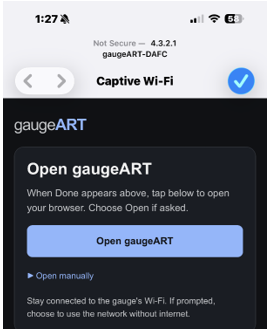
Open web app in browser: click the option to open the web app in the default browser as shown.
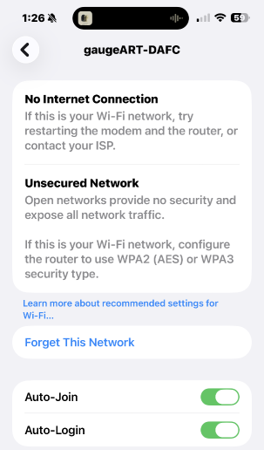
Auto join: if the prompt to open the page does not happen automatically, click the info icon next to the gaugeART-XXXX and enable Auto-Login as shown.
The gaugeART Chroma homepage should now load (as shown in the next section).
You can also open the browser while connected to the gauge and enter 4.3.2.1 into the browser’s address field to open the homepage.